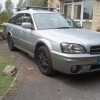
June 21, 201510 yr just called in to a supermarkit & as I was walkin back noticed loads of vw,s comin in to park thay was parkin in area I was parked.i was in my car for about 10 mins & this man came over & asked me if I cauld park in another area as thay was goining to take photos I wasent realy in thare way , so I thought I need to give him the right reply,,so I seid, yeah ill move mate dont want my subaru in a photo with that lot.
June 22, 201510 yr Ha ha. Bet that made him smart a tad. I'll remember that if I get something similar. I once had some tree hugger give me a lecture about gas guzzling 4x4s when I was parking my Defender. No problem there you may think but the **** was driving an old V12 jag that must have used twice as much fuel as mine. Could not be bothered with a fancy reply so just told him to go forth and multiply but only using two words.
June 22, 201510 yr Author ha,ha,ha that was great, wot a hipocrit he was, go fourth & multiply I love it ha,ha



Create an account or sign in to comment