Do Not Sell My Personal Information Jump to content
View in the app

A better way to browse. Learn more.

Subaru Owners Club UK | Subaru Forums

A full-screen app on your home screen with push notifications, badges and more.

To install this app on iOS and iPadOS
  1. Tap the Share icon in Safari
  2. Scroll the menu and tap Add to Home Screen.
  3. Tap Add in the top-right corner.
To install this app on Android
  1. Tap the 3-dot menu (⋮) in the top-right corner of the browser.
  2. Tap Add to Home screen or Install app.
  3. Confirm by tapping Install.

Subaru Impreza RX 57plate automatic

Featured Replies

post-5180-144457095636_thumb.jpg

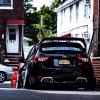
Hello here for sell my beloved Subaru Impreza very well locked after car with full Subaru history as you can see in last photo had full service last month Mot till 8th July next year Tax till January mileage 72000 miles driving daily so might go up slightly, very clean car and drives superb air condition heated seat cruise control full xenon lights with nice body kit and special Subaru alloys looks black but has purple pearls when sun hits it, satnav and Bluetooth and speaker upgrade worth over £1000 very clean clear sound, it has keyless enrtry with push button start also number plate not include but can sell for additional £200 :) its worth over £600 when I bought it, gutted see it go due to change circumstances.

Looking for £3400 no offers please

Text me or call me if interested 07589771177 Thanks


  • Author

post-5180-144491131588_thumb.jpg

Sent from my iPhone using Tapatalk

  • Author

post-5180-144491219895_thumb.jpgpost-5180-144491221123_thumb.jpgpost-5180-144491223438_thumb.jpgpost-5180-144491225008_thumb.jpg

Sent from my iPhone using Tapatalk

Create an account or sign in to comment


Background Picker
Customize Layout

Account

Navigation

Search

Configure browser push notifications

Chrome (Android)
  1. Tap the lock icon next to the address bar.
  2. Tap Permissions → Notifications.
  3. Adjust your preference.
Chrome (Desktop)
  1. Click the padlock icon in the address bar.
  2. Select Site settings.
  3. Find Notifications and adjust your preference.