Do Not Sell My Personal Information Jump to content
View in the app

A better way to browse. Learn more.

Subaru Owners Club UK | Subaru Forums

A full-screen app on your home screen with push notifications, badges and more.

To install this app on iOS and iPadOS
  1. Tap the Share icon in Safari
  2. Scroll the menu and tap Add to Home Screen.
  3. Tap Add in the top-right corner.
To install this app on Android
  1. Tap the 3-dot menu (⋮) in the top-right corner of the browser.
  2. Tap Add to Home screen or Install app.
  3. Confirm by tapping Install.

Hello Again

Featured Replies

Hi Guys joined a while back then my Scooby got ill and had to go..

Now back behind the wheel of one and loving it hopefully this one stays longer.

When last here was talk of maybe a regular meet with for Windsor/Slough/Maidenhead/Reading members did this ever happen could it happen really interested.


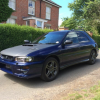
Here are some pics of the new one

13087511_10209624675553411_4281059523912898442_n.jpg

12472608_10209624665513160_4768111533461364571_n.jpg

13087390_10209624665833168_5984583693454433701_n.jpg

13094203_10209624665753166_6295664631545512639_n.jpg


great to hear you have the six stars back in your life - although we knew you never really left :thumbsup:

Pete is your man for the meets in the Surrey area bit further across from Reading though, I believe they have just started up again for this year



Create an account or sign in to comment


Background Picker
Customize Layout

Account

Navigation

Search

Configure browser push notifications

Chrome (Android)
  1. Tap the lock icon next to the address bar.
  2. Tap Permissions → Notifications.
  3. Adjust your preference.
Chrome (Desktop)
  1. Click the padlock icon in the address bar.
  2. Select Site settings.
  3. Find Notifications and adjust your preference.