Do Not Sell My Personal Information Jump to content
View in the app

A better way to browse. Learn more.

Subaru Owners Club UK | Subaru Forums

A full-screen app on your home screen with push notifications, badges and more.

To install this app on iOS and iPadOS
  1. Tap the Share icon in Safari
  2. Scroll the menu and tap Add to Home Screen.
  3. Tap Add in the top-right corner.
To install this app on Android
  1. Tap the 3-dot menu (⋮) in the top-right corner of the browser.
  2. Tap Add to Home screen or Install app.
  3. Confirm by tapping Install.

Featured Replies

05af101db083c1080b6b61b017136cba.jpg

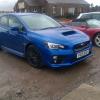
Still got these for sale if anyones interested. Light curb marks on 2 of them and about 3mm tread. Genuine subaru Enkei wheels. You can tell by the weight these are a good quality wheel. 18 inch 5x114 fitment so should fit hatch models and maybe hawkeye

£700 collection from cumbria

57bd940bdfbb97388d10ced8f521eeae.jpg

Sent from my SM-G935F using Tapatalk

  • 3 months later...

Getting those refurbished is going to cost a few quid! If you drop the price they might sell

Sent from my iPhone using Tapatalk Pro

  • Author

Can drop it a bit but not loads. Gotta understand these are genuine enkei wheels and much better quality than the shote that most people put on their car from rota etc. They feel really light compared to any aftermarket wheels ive had in the past.

Sent from my SM-G935F using Tapatalk

Create an account or sign in to comment


Background Picker
Customize Layout

Configure browser push notifications

Chrome (Android)
  1. Tap the lock icon next to the address bar.
  2. Tap Permissions → Notifications.
  3. Adjust your preference.
Chrome (Desktop)
  1. Click the padlock icon in the address bar.
  2. Select Site settings.
  3. Find Notifications and adjust your preference.