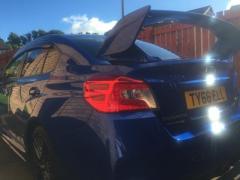
October 5, 20169 yr Heading up to Largs tonight and caught up with a WRX STI in white. It was on a 64 plate, however it was a 2017 model. Nice car I was right behind you. Looking good.
October 20, 20169 yr How can you tell that it was 2017 model? Is there some distinct body features which show it being 2017? Only way I found out that mine was 2017 was through VIN number. 64 plate tells that it was 1st revision of this new shape.
October 21, 20169 yr Author Show room condition and giving everyother car on the road a wide berth was the only clue. :-)
October 21, 20169 yr 1 hour ago, RichieT said: Show room condition and giving everyother car on the road a wide berth was the only clue. :-) But if it was 2017 model they wouldn't be able to register it back in 2014 ;) Believe it or not, there are quite a few 2014 (well they are model year 2015) STI of this shape which only been driven 100 miles or so as a test drives. :)



Create an account or sign in to comment