Do Not Sell My Personal Information Jump to content
View in the app

A better way to browse. Learn more.

Subaru Owners Club UK | Subaru Forums

A full-screen app on your home screen with push notifications, badges and more.

To install this app on iOS and iPadOS
  1. Tap the Share icon in Safari
  2. Scroll the menu and tap Add to Home Screen.
  3. Tap Add in the top-right corner.
To install this app on Android
  1. Tap the 3-dot menu (⋮) in the top-right corner of the browser.
  2. Tap Add to Home screen or Install app.
  3. Confirm by tapping Install.

My new Subaru! And some questions...

Featured Replies

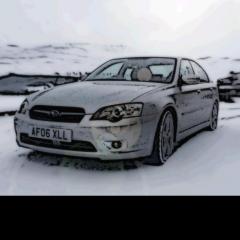
Hello! This summer I bought my first Subaru, a 2006 Legacy saloon. I completely love it, however there is one thing which annoys me. I don't know how to play music from my phone, put in a DAB radio, or make handsfree calls, since the radio and climate control is all one unit. Does anyone have a solution? I've realised it might have to be a custom job, but if anyone has any clue or anything it would be much appreciated!

I also was wanted to get an OBDII reader for the car since in the past I have hooked them up to apps on my phone (DashCommand, but maybe there's a preferred one..?) to monitor as many things as possible. Is there a good reader anyone could recommend, and a good app as well? 

Thanks very much if you read this, and looking forward to being a more active member here :)


Create an account or sign in to comment


Background Picker
Customize Layout

Account

Navigation

Search

Configure browser push notifications

Chrome (Android)
  1. Tap the lock icon next to the address bar.
  2. Tap Permissions → Notifications.
  3. Adjust your preference.
Chrome (Desktop)
  1. Click the padlock icon in the address bar.
  2. Select Site settings.
  3. Find Notifications and adjust your preference.