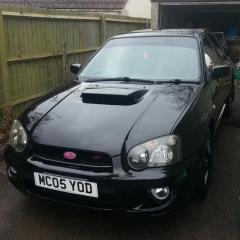
March 28, 20179 yr Hey chaps, Probably been asked a million times and i am sorry if it has. but need a new set of lights for blobeye.been looking at a decent set of second hand ones for £160 but also like the angeleye headlights. Just worried they might be a heap of poo. Has anyone bought these or know of a better brand . Thanks https://www.energizedcustoms.co.uk/shop/subaru-impreza-2003-2005-black-angel-eyes-headlights-pair.html?gclid=Cj0KEQjwk-jGBRCbxoPLld_bp-IBEiQAgJaftZQ3Y1g-eVqSm-9TDe0sn64n0iqvRCCHcvAXCUJPNkUaAhOp8P8HAQ
March 29, 20179 yr heard reports that they aren't very well sealed so if you buy them it's definitely worth pulling them apart and resealing them yourself with some new silicone
December 21, 20178 yr On 3/28/2017 at 6:09 PM, greasemonkey said: Hey chaps, Probably been asked a million times and i am sorry if it has. but need a new set of lights for blobeye.been looking at a decent set of second hand ones for £160 but also like the angeleye headlights. Just worried they might be a heap of poo. Has anyone bought these or know of a better brand . Thanks https://www.energizedcustoms.co.uk/shop/subaru-impreza-2003-2005-black-angel-eyes-headlights-pair.html?gclid=Cj0KEQjwk-jGBRCbxoPLld_bp-IBEiQAgJaftZQ3Y1g-eVqSm-9TDe0sn64n0iqvRCCHcvAXCUJPNkUaAhOp8P8HAQ Hi maybe try the ScoobyWorld website and find out information and see what they suggest



Create an account or sign in to comment