Do Not Sell My Personal Information Jump to content
View in the app

A better way to browse. Learn more.

Subaru Owners Club UK | Subaru Forums

A full-screen app on your home screen with push notifications, badges and more.

To install this app on iOS and iPadOS
  1. Tap the Share icon in Safari
  2. Scroll the menu and tap Add to Home Screen.
  3. Tap Add in the top-right corner.
To install this app on Android
  1. Tap the 3-dot menu (⋮) in the top-right corner of the browser.
  2. Tap Add to Home screen or Install app.
  3. Confirm by tapping Install.

Featured Replies

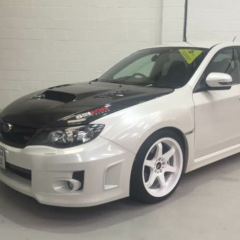
Hi guys and of course girls I'm not new to the Scooby scene, I had a 2009 impresa WRX that I really liked I got the WRX because I couldn't afford the Sti so I come to the decision to trade my hatchback in and I was going to get an evo X but I changed my mind when I saw this in a garage. Tell me what you think I will post some better pictures when I have a bit more time.WP_20150827_005.thumb.jpg.c30ef855f4102de27c96fd10fcfe1fcf.jpg

IMG_0041.PNG


  • Author

Here are some more pictures 

InkedIMG_0069_LI.jpg

InkedIMG_0063_LI.jpg

IMG_0068.JPG

IMG_0066.JPG

  • 3 weeks later...

Create an account or sign in to comment


Background Picker
Customize Layout

Configure browser push notifications

Chrome (Android)
  1. Tap the lock icon next to the address bar.
  2. Tap Permissions → Notifications.
  3. Adjust your preference.
Chrome (Desktop)
  1. Click the padlock icon in the address bar.
  2. Select Site settings.
  3. Find Notifications and adjust your preference.