Do Not Sell My Personal Information Jump to content
View in the app

A better way to browse. Learn more.

Subaru Owners Club UK | Subaru Forums

A full-screen app on your home screen with push notifications, badges and more.

To install this app on iOS and iPadOS
  1. Tap the Share icon in Safari
  2. Scroll the menu and tap Add to Home Screen.
  3. Tap Add in the top-right corner.
To install this app on Android
  1. Tap the 3-dot menu (⋮) in the top-right corner of the browser.
  2. Tap Add to Home screen or Install app.
  3. Confirm by tapping Install.

Advice and recommendations for remap

Featured Replies

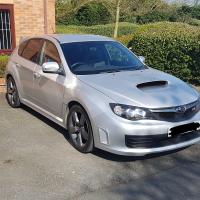
Hi guys I have owned my sti for 6 months and fancy getting it mapped.


Firstly I have the prodrive pack which apparently has a map with it, is that something that is actually a good map or would it be better to have a custom one?


Secondly where to go? Based in sunny Wolverhampton I have ebeen speaking with Pole Position UK but I would always like a second opinion from anyone that is happy to give it.


Cheers in advance

Jesse


Sent from my SM-G935F using Tapatalk


  • 4 weeks later...

  • Author

Bump


Sent from my SM-G935F using Tapatalk

  • 4 weeks later...

@JesseJames you would probably be better off with a custom map , but if your going to do any mods get them first then get the map done after , because every time you bolt something on you need to re calibrate , just make sure you go to a well know scooby specialist


Sent from my iPhone using Tapatalk

Create an account or sign in to comment


Background Picker
Customize Layout

Account

Navigation

Search

Configure browser push notifications

Chrome (Android)
  1. Tap the lock icon next to the address bar.
  2. Tap Permissions → Notifications.
  3. Adjust your preference.
Chrome (Desktop)
  1. Click the padlock icon in the address bar.
  2. Select Site settings.
  3. Find Notifications and adjust your preference.