Do Not Sell My Personal Information Jump to content
View in the app

A better way to browse. Learn more.

Subaru Owners Club UK | Subaru Forums

A full-screen app on your home screen with push notifications, badges and more.

To install this app on iOS and iPadOS
  1. Tap the Share icon in Safari
  2. Scroll the menu and tap Add to Home Screen.
  3. Tap Add in the top-right corner.
To install this app on Android
  1. Tap the 3-dot menu (⋮) in the top-right corner of the browser.
  2. Tap Add to Home screen or Install app.
  3. Confirm by tapping Install.

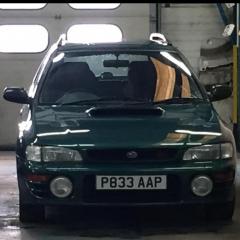
Hi can anyone tell me what alloys should be on my car from factory.its a p reg uk 2000 wagon

Featured Replies

IMG_0562.JPG I’ve got 17 inch genuine oz alloys on at the minute and I don’t like them.Im trying to get the car back to original condition


Sent from my iPhone using Tapatalk


There were two I think. The first pic is of the standard type and the second pic is of an alloy upgrade you could have. I like the ones in photo two personally but each to their own. 


0C3F3F69-C528-4138-8782-750A1C84940D.png

378ABBFA-3A60-4C87-B1E5-99008322A206.png

My p reg uk turbo had 17" speedline cronos fitted as a factory option . They fitted over the standard 2 pot fronts but needed 5mm spacers to clear subaru 4 pots (fitted to v5 onwards)cf98e6fb5980f235d2186fcc3c2a6008.jpg

Sent from my SM-G930F using Tapatalk

  • Author
My p reg uk turbo had 17" speedline cronos fitted as a factory option . They fitted over the standard 2 pot fronts but needed 5mm spacers to clear subaru 4 pots (fitted to v5 onwards)cf98e6fb5980f235d2186fcc3c2a6008.jpg

Sent from my SM-G930F using Tapatalk


What size tyres came on your 17s clive?


Sent from my iPhone using Tapatalk

  • Author

I’m on 215/40/17s


Sent from my iPhone using Tapatalk

  • Author
I’m on 215/40/17s


Sent from my iPhone using Tapatalk

Arch gap looks a bit big


Sent from my iPhone using Tapatalk

Create an account or sign in to comment


Background Picker
Customize Layout

Configure browser push notifications

Chrome (Android)
  1. Tap the lock icon next to the address bar.
  2. Tap Permissions → Notifications.
  3. Adjust your preference.
Chrome (Desktop)
  1. Click the padlock icon in the address bar.
  2. Select Site settings.
  3. Find Notifications and adjust your preference.