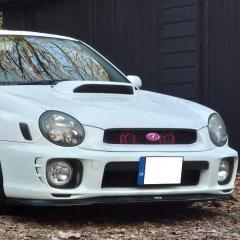
May 11, 20197 yr Evening all! So, my dad picked up his new toy today, a lovely 2007 Forester Cross Sports S-Edition. We've noticed that when unlocking/locking the car using the standard two-button key, the car "chirps" as if there's an alarm being armed/disarmed. Can anyone tell me if these had factory fitted alarm systems? It's the same type of key as my 2002 WRX which didn't have any type of security fitted to it, so we're not sure what the score is. Thanks in advance!
May 12, 20197 yr Foresters have been factory fitted with alarms since 2001- unless privately imported, maybe your WRX was privately imported to not have one.
May 12, 20197 yr Author Yes, sorry I meant to say that they're both JDM imports. I think I've got to the bottom of the question though, it seems that the "chirping" we can hear is an audible confirmation of the keyless lock/unlock function, not really an alarm as such. I've tried arming it and then opening the door with the key, arming it whilst sat inside and opening the door and a few other things and no alarm sounds, so I don't reckon this one has a proper alarm fitted yet.
May 12, 20197 yr Yep...I guess you'd have a blinking LED if an alarm was fitted - hope your dad enjoys his Forester 🙂
May 12, 20197 yr 6 minutes ago, Bahnstormer said: Oh he loves it! I've never seen him grin so much while he's driving Brilliant mate 🙂



Create an account or sign in to comment