Do Not Sell My Personal Information Jump to content
View in the app

A better way to browse. Learn more.

Subaru Owners Club UK | Subaru Forums

A full-screen app on your home screen with push notifications, badges and more.

To install this app on iOS and iPadOS
  1. Tap the Share icon in Safari
  2. Scroll the menu and tap Add to Home Screen.
  3. Tap Add in the top-right corner.
To install this app on Android
  1. Tap the 3-dot menu (⋮) in the top-right corner of the browser.
  2. Tap Add to Home screen or Install app.
  3. Confirm by tapping Install.

Subaru Wrx Blobeye 54 plate

Featured Replies

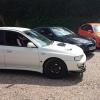
Runs sweet as a nut! Standard Engine, no mods. Spec includes: Xenon "angel eyes" Headlights, Leather Seats, Heated seats, Electric sunroof, Electric windows, Air conditioning, Isofix, Alarm, Immobiliser. Really don’t want to sell but the Mrs is nagging me because of the petrol costs. She would like a more "family friendly" car. I barely get to use her anymore due to work so I think it’s time to let her go.326DE7C7-2E26-4FD5-9FF9-510286D1747D.thumb.jpeg.072c8375ee89057537ab6c1c9cc69a91.jpegFBF7D5CA-7AD6-4A88-BF69-5F745638C8D7.thumb.jpeg.3986139feb9d827b6c7e3394296f6357.jpeg2681204B-EA85-4867-8FD3-85205A9B5C91.thumb.jpeg.0498de9e653da35fba8c9393b7783702.jpeg8873C1C3-811B-44D1-8D77-448D4CCC6C50.thumb.jpeg.567efb0bd5da00827cb7091032f092be.jpeg11DDDF8E-9D8E-4CA3-82F6-B3C8BCAECC4A.thumb.jpeg.b169c2c0e40b1060861a8c2f55338187.jpegFB116FB1-6776-4DD4-99BB-AB2AFA0D19F8.thumb.jpeg.8cc5c2948e45a7aeea9460d8c9b153d6.jpeg3D336068-DDAC-4E5E-B923-9EA5EA3CE235.thumb.jpeg.97dc4db707e0aa88d81473293f3ef6e5.jpeg Front grill is non standard in pictures but will put original on and chuck the one in the pics in the boot and the original headlights. Few scratches on front bumper, nothing major, as shown in 73C3957D-14CA-4726-8791-A05CCCF720EF.thumb.jpeg.2825c139feb1c0cc188c596621834606.jpegpictures. Wheels do need some TLC. Double din Pioneer and sub included in sale. Any questions please ask, no silly offers. Next MOT due 09/12/2019, Part service history, Silver, 5+ owners, £2,500 

4CE72111-928F-4A06-A951-0AFDE1C8EDB1.jpeg

1CD9A146-4F1C-4E41-923B-62C618A897C4.jpeg


Create an account or sign in to comment


Background Picker
Customize Layout

Account

Navigation

Search

Configure browser push notifications

Chrome (Android)
  1. Tap the lock icon next to the address bar.
  2. Tap Permissions → Notifications.
  3. Adjust your preference.
Chrome (Desktop)
  1. Click the padlock icon in the address bar.
  2. Select Site settings.
  3. Find Notifications and adjust your preference.