Do Not Sell My Personal Information Jump to content
View in the app

A better way to browse. Learn more.

Subaru Owners Club UK | Subaru Forums

A full-screen app on your home screen with push notifications, badges and more.

To install this app on iOS and iPadOS
  1. Tap the Share icon in Safari
  2. Scroll the menu and tap Add to Home Screen.
  3. Tap Add in the top-right corner.
To install this app on Android
  1. Tap the 3-dot menu (⋮) in the top-right corner of the browser.
  2. Tap Add to Home screen or Install app.
  3. Confirm by tapping Install.

Featured Replies

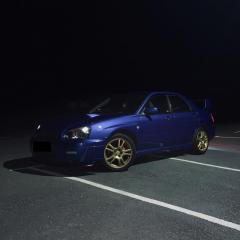
Hi, just took this off my 2005 WRX 300 LE and was wondering what it actually is. Was told it was an optional extra for the WRX 300. Can anyone help my identify it, cant seem to find others.

Many thanks.

3798DD62-F74C-425F-B94A-FAEF9E668A4A.jpeg

173EF0FE-6295-4E95-8494-C93846C6564C.jpeg

B1DC1B7F-7A8A-4E69-9907-D96FC3513AC0.jpeg

758F60C0-1A09-4F87-BCC3-C5F241D2F894.jpeg

CD636501-FB84-400B-BFC3-80F4EA0E3529.jpeg


new age 22b replica, ebay/aftermarket one.


Who ever told you its a wrx300 (its actualy a UK300) is just trying to add value and is incorrect.

  • Author

There was a UK 300 and a WRX 300, both different years, and I have owned both. But I believe what youre saying about the spoiler being aftermarket.

Create an account or sign in to comment


Background Picker
Customize Layout

Configure browser push notifications

Chrome (Android)
  1. Tap the lock icon next to the address bar.
  2. Tap Permissions → Notifications.
  3. Adjust your preference.
Chrome (Desktop)
  1. Click the padlock icon in the address bar.
  2. Select Site settings.
  3. Find Notifications and adjust your preference.