Do Not Sell My Personal Information Jump to content
View in the app

A better way to browse. Learn more.

Subaru Owners Club UK | Subaru Forums

A full-screen app on your home screen with push notifications, badges and more.

To install this app on iOS and iPadOS
  1. Tap the Share icon in Safari
  2. Scroll the menu and tap Add to Home Screen.
  3. Tap Add in the top-right corner.
To install this app on Android
  1. Tap the 3-dot menu (⋮) in the top-right corner of the browser.
  2. Tap Add to Home screen or Install app.
  3. Confirm by tapping Install.

Wheel refurb - before / after: Smartcare Tipton

Featured Replies

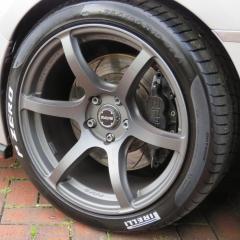
Had my wheels done as you can see in the before shots the standard finish does not hold up well at all with corrosion coming through, a single layer coating on the rear inconsistent colour on the front. In the after shots this is the result of an acid dip followed by shot balsting and then a 3 layer coating finished in Anthracite.


4 day turnaround, wheels and valve off, all replaced and rebalanced with gloss black stick on weights :D


used these chaps - very pleased with the results


http://www.smartcarerepair.co.uk/


Before


inconsistent finish


IMG_5311_zps0feded05.jpg


corrosion coming through single white paint coat


IMG_5313_zps377cf730.jpg


IMG_5321_zpsc27c9149.jpg


curb attack by a previous owner


IMG_5317_zpsa15692b7.jpg


more corrosion coming through front


IMG_5319_zpse6d4d0f4.jpg


After


DSCF0273_zps5182ae55.jpg


this one is a bit dusty from the shop still


DSCF0274_zps0bd78531.jpg


DSCF0275_zpsec6d82d8.jpg


DSCF0276_zpsa70f07dd.jpg


DSCF0277_zps49b14023.jpg


Yeah and nothing you couldn't do it to amazing stuff :)

Create an account or sign in to comment


Background Picker
Customize Layout

Account

Navigation

Search

Configure browser push notifications

Chrome (Android)
  1. Tap the lock icon next to the address bar.
  2. Tap Permissions → Notifications.
  3. Adjust your preference.
Chrome (Desktop)
  1. Click the padlock icon in the address bar.
  2. Select Site settings.
  3. Find Notifications and adjust your preference.