Do Not Sell My Personal Information Jump to content
View in the app

A better way to browse. Learn more.

Subaru Owners Club UK | Subaru Forums

A full-screen app on your home screen with push notifications, badges and more.

To install this app on iOS and iPadOS
  1. Tap the Share icon in Safari
  2. Scroll the menu and tap Add to Home Screen.
  3. Tap Add in the top-right corner.
To install this app on Android
  1. Tap the 3-dot menu (⋮) in the top-right corner of the browser.
  2. Tap Add to Home screen or Install app.
  3. Confirm by tapping Install.

Featured Replies

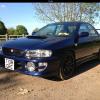
Here you go ;) 


  • Replies 113
  • Views 13.1k
  • Created
  • Last Reply

Top Posters In This Topic

Most Popular Posts

  • Well i try to aus scooby ;) not many 29year old women like cars but i do its my pride n joy :) Thanks miggs u all have been nice :)

  • No this is my 4th one : ) had a impreza sport , wagon turbo then 2 impreza turbos i just love them : )

  • I've thought about having a 2nd car but I just don't think I could bring myself to drive it. :D

I'm gonna keep my mush shut, don't wanna offend anyone lol

Well that would be a 1st :D 

  • Author

Keep ur mouth shut about what miggs ? U lot make me laugh :)

I'd say he want's to know if that's me in the video ;)


  • Author

Haha : )

Just keep me mucky thought t' me self lol

  • Author

Oh right lol

Haha What do you mean I keep sending you pic's of me but you keep sending them back Miggs what more do you want :D 

I want the hardcore stuff gambit, the leather and mask isn't enough, I need insertion pics the lot, maybe some dogging adventure vids too..... OHHHH BUGGEERRRRR SPLURGHHHMPHHH

That's made a mess


  • Author

Dirty dirty dirty lol :)

By the sounds of it he is now :D 

It's being here that's corrupted me lol

Hi jojo30. I,m also a 29year old female that loves my bug eye subaru.

Create an account or sign in to comment


Background Picker
Customize Layout

Configure browser push notifications

Chrome (Android)
  1. Tap the lock icon next to the address bar.
  2. Tap Permissions → Notifications.
  3. Adjust your preference.
Chrome (Desktop)
  1. Click the padlock icon in the address bar.
  2. Select Site settings.
  3. Find Notifications and adjust your preference.