Do Not Sell My Personal Information Jump to content
View in the app

A better way to browse. Learn more.

Subaru Owners Club UK | Subaru Forums

A full-screen app on your home screen with push notifications, badges and more.

To install this app on iOS and iPadOS
  1. Tap the Share icon in Safari
  2. Scroll the menu and tap Add to Home Screen.
  3. Tap Add in the top-right corner.
To install this app on Android
  1. Tap the 3-dot menu (⋮) in the top-right corner of the browser.
  2. Tap Add to Home screen or Install app.
  3. Confirm by tapping Install.

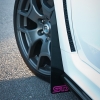
some pix of my STi 330s.. garage racer

Featured Replies

12058796774_a28d2428cb_c.jpg


12058410655_8cf87432a0_c.jpg


12059276766_fe31ded424_c.jpg


Flash Gun was strapped to the underside of my garage door, used a trigger on my camera and of course used a tripod lol


Great pictures mate. Does look like an advert for Gran Turismo ;)


I like the top one with the red line across just makes it stand out. I take it the bottom one is the same picture but done in Black and white. 

But they do look spot on as always mate :)

Create an account or sign in to comment


Background Picker
Customize Layout

Account

Navigation

Search

Configure browser push notifications

Chrome (Android)
  1. Tap the lock icon next to the address bar.
  2. Tap Permissions → Notifications.
  3. Adjust your preference.
Chrome (Desktop)
  1. Click the padlock icon in the address bar.
  2. Select Site settings.
  3. Find Notifications and adjust your preference.