Do Not Sell My Personal Information Jump to content
View in the app

A better way to browse. Learn more.

Subaru Owners Club UK | Subaru Forums

A full-screen app on your home screen with push notifications, badges and more.

To install this app on iOS and iPadOS
  1. Tap the Share icon in Safari
  2. Scroll the menu and tap Add to Home Screen.
  3. Tap Add in the top-right corner.
To install this app on Android
  1. Tap the 3-dot menu (⋮) in the top-right corner of the browser.
  2. Tap Add to Home screen or Install app.
  3. Confirm by tapping Install.

Featured Replies

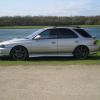
hi all I drive a lightly modded classic wagon and got chance to speak to some of you at the Sheffield Subaru service meet on Monday night and was told about this forum so hi :) :) :)


Hello mate always welcome to pop on here you're the 2nd since Monday I'm sure know a few of us on here already so I will let them say hi. 

Please feel free to join in on the forums not all car talk and most of them are a good bunch. :D 

welcome to the club :D


was it your first meet there?


what's you name?


  • Author

hi been having work done on my scoob at sss for the past 5 years martin is a top Subaru specialist and would recommend anyone and to my fellow wagoner hi mate

  • Author

ps dave I have a silver wagon so have guess lol

it can't be Tim, because you said lightly modded and Tim's car is a little bit more than lightly modded :lol: :lol: :lol: 

and your profile says you're 53, I'm sure Tim is in his 60's  

  • Author

oh yesss dave and you cheeky sod in am on the good side of 53 lol


Create an account or sign in to comment


Background Picker
Customize Layout

Account

Navigation

Search

Configure browser push notifications

Chrome (Android)
  1. Tap the lock icon next to the address bar.
  2. Tap Permissions → Notifications.
  3. Adjust your preference.
Chrome (Desktop)
  1. Click the padlock icon in the address bar.
  2. Select Site settings.
  3. Find Notifications and adjust your preference.