April 12, 201411 yr In my hawkeye, only one of the fog light switches illuminates when my sidelights are on. Are they both meant to light up? Can't see it for s#%t in the dark. Is it an easy fix if it's meant to?
April 12, 201411 yr I just noticed this on mine tonight and can't remember if it did before or not lol
April 14, 201411 yr I'm sure I get a light at the top of both the front and rear if I remember I will check tomorrow mate.
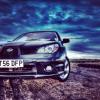
April 15, 201411 yr I think he means the symbol for the light (that is on the switch) not the light that indicates it's on. Only pic I could find but there we go lol
April 15, 201411 yr Probably should. I shall pull apart today and see if theres a potential blown bulb
April 15, 201411 yr Author I've changed to sorting this little problem out. My near side sidelight has a dodgey connection so I have to thump my light before I go out otherwise it won't come on. I looked in the manual about how to change a bulb, as I think I just want to clean the connection, but it only says for non HID lights :( Looks like a mission to get at



Create an account or sign in to comment