Do Not Sell My Personal Information Jump to content
View in the app

A better way to browse. Learn more.

Subaru Owners Club UK | Subaru Forums

A full-screen app on your home screen with push notifications, badges and more.

To install this app on iOS and iPadOS
  1. Tap the Share icon in Safari
  2. Scroll the menu and tap Add to Home Screen.
  3. Tap Add in the top-right corner.
To install this app on Android
  1. Tap the 3-dot menu (⋮) in the top-right corner of the browser.
  2. Tap Add to Home screen or Install app.
  3. Confirm by tapping Install.

Featured Replies

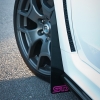
DO YOU KNOW WHAT IT IS?


20140619_202959_zpsye94utl3.jpg


I ordered this last month, from Japan, as Subaru UK are now out of stock as it's discontinued (so Nottm Subaru told me) had to wait as there was a back order of 30days due to STi being out of stock too.


so while importing.. ordered these as well


20140619_202126_zpswrvprxwa.jpg

20140619_202220_zpsic5hlzbz.jpg


Very nice I do like both new items :) 

Now am I meant to say what it is or let others guess :D 

But the STI badges will be a nice subtle touch :) 

  • Author

it's off a R205


and fits/looks like this when on..


Subaru-Impreza-R205-22.jpg


anyone know how to remove the rear bumper?

  • Author

It's fitted

10404480_10203224695411870_1076277384324

I'll do a write up on how to fit it tomorrow, when I get half an hour ;)

I agree looks the dogs danglies I've seen them on cars before I do like how it just changes the !Removed! end. As you said Pete suttle. 

Create an account or sign in to comment


Background Picker
Customize Layout

Configure browser push notifications

Chrome (Android)
  1. Tap the lock icon next to the address bar.
  2. Tap Permissions → Notifications.
  3. Adjust your preference.
Chrome (Desktop)
  1. Click the padlock icon in the address bar.
  2. Select Site settings.
  3. Find Notifications and adjust your preference.