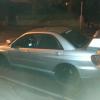
May 9, 201313 yr Hi all I seen a nice subaru today comming the uther way with its headlight smoked out and I must admit it looked well mean I know you can split the head light and paint the Crome black but has enyone got experience on headlight film .dos and doint I have heard of flyeye thats mot legal as it lets your light shine through as its like a mesh but still smoked out the lights
May 9, 201313 yr I know the MOT is funny with the lights now. Can be bright to dim, if you can't adjust them, or if you have Hid's and the washers don't work, they all result in a fail. Dam the EU ;) Other then putting after market lights on the car I never done any tints to the lights. But you just reminded me I was going to look at getting some LED side light bulb's... Cheers mate ;)
May 10, 201313 yr my friend had film on his was pulled by the fuzz £60 fine 3 points so be careful buddy
May 10, 201313 yr my friend had film on his was pulled by the fuzz £60 fine 3 points so be careful buddy Dam that's harsh. the fine fair enough but the point's :o
May 10, 201313 yr I used clear plastic covers as headlight protection on my van and bike but wouldn't go the tinted route -- over the years I have had enough attention from the police without having a mod like that, also I like as much light coming out the front as possible. Id just go with the split and respray the internals as shown in another thread.



Create an account or sign in to comment