Do Not Sell My Personal Information Jump to content
View in the app

A better way to browse. Learn more.

Subaru Owners Club UK | Subaru Forums

A full-screen app on your home screen with push notifications, badges and more.

To install this app on iOS and iPadOS
  1. Tap the Share icon in Safari
  2. Scroll the menu and tap Add to Home Screen.
  3. Tap Add in the top-right corner.
To install this app on Android
  1. Tap the 3-dot menu (⋮) in the top-right corner of the browser.
  2. Tap Add to Home screen or Install app.
  3. Confirm by tapping Install.

Featured Replies

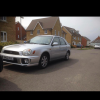
Got my wagon on Friday and already got it booked in for a full service and new tyres over the next couple of days, although she's got a full service history on her I think she had been a bit unloved, so this is the first job of many but probably the most important


Yeah I do that too mate !! Mine was really unloved when I got her

  • Author

Engine bay is so filthy that needs to be cleaned, then I need to tidy the body work up, it needs a !Removed! good polish

  • Author

Look how unloved she ispost-2896-14077552787_thumb.jpgpost-2896-14077552905_thumb.jpgpost-2896-140775530075_thumb.jpgpost-2896-140775531041_thumb.jpg

Lol that's like mine tho I haven't cleaned the engine bay yet

  • Author

Lots of paint work needs to be done then I can start on tasteful mods

The rear bottom spoiler is the bee,s knee,s :)

  • Author

I want a top spoiler as well gem

  • Author

Still after some clear markers and repeaters though

Lol bear with me I might change mine to carbon yet so I will have full set for you.

  • Author

Gem you are a gem

Although did you see the silver ones on that silver bugeye that guy was breaking soon, they are cool, would look great on yours

  • Author

The one on Facebook? He is meant to be sending me pics of everything I asked for today but not received anything yet

That full front end one I sent pic off

  • Author

Oh the one of Facebook, I haven't been accepted onto that group so can't message him

Create an account or sign in to comment


Background Picker
Customize Layout

Configure browser push notifications

Chrome (Android)
  1. Tap the lock icon next to the address bar.
  2. Tap Permissions → Notifications.
  3. Adjust your preference.
Chrome (Desktop)
  1. Click the padlock icon in the address bar.
  2. Select Site settings.
  3. Find Notifications and adjust your preference.