


robert davies
Members
-
Joined
-
Last visited
-
its the wires going to the coil on the car i cant work out. dont know which wires do what.
-
trying to get it to pop and spit flames
-
is there something else on the market that will do the same thing.
-
has anyone fitted an omex rev limiter on their car. i have fitted one and cant get it to work. dont know if i have wired it up wrong to the coil packs. there are four wires. red. black. blue and black with a blue stripe. i know the black is positive but dont know what the others are.
-
found out what was wrong with it. there was no fuel in the tank. the dash said there was nearly half a tank in it.
-
will do. thanks.
-
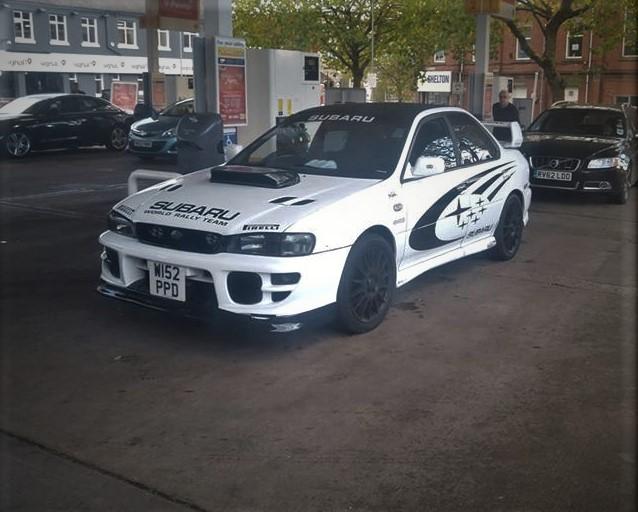
hi all. my name is robert. i have finally bought myself a subaru impreza after months of saving. traveled from south wales to stoke on trent to buy it. its a 2000 sports with a sti engine fitted. has a few problems but will put it right . loving the power. bit diferent from my seat leon 1.9 tdi.
-
will buy one and see what happens. cheers.
-
is that the filter on the end of the pump. because that one is new.
-
never thought of that. will have to buy one.
-
only just bought it. i think it was done quite recently.
-
car started to missfire. eventually stopped,and wouldnt start. thought it might be the fuel pump so i bought a new up rated one. the car started and run nice. took it for a spin,and about a mile down the road it done it again. wont start again.

