
Do Not Sell My Personal Information Jump to content
View in the app

A better way to browse. Learn more.

Subaru Owners Club UK | Subaru Forums

A full-screen app on your home screen with push notifications, badges and more.

To install this app on iOS and iPadOS
  1. Tap the Share icon in Safari
  2. Scroll the menu and tap Add to Home Screen.
  3. Tap Add in the top-right corner.
To install this app on Android
  1. Tap the 3-dot menu (⋮) in the top-right corner of the browser.
  2. Tap Add to Home screen or Install app.
  3. Confirm by tapping Install.

steven scooby

Members
  • Joined

  • Last visited

Everything posted by steven scooby

  1. hey. thanks for reply! yes was just putting it out there to see if it got any interest. thanks for the advise though, will take it on board...
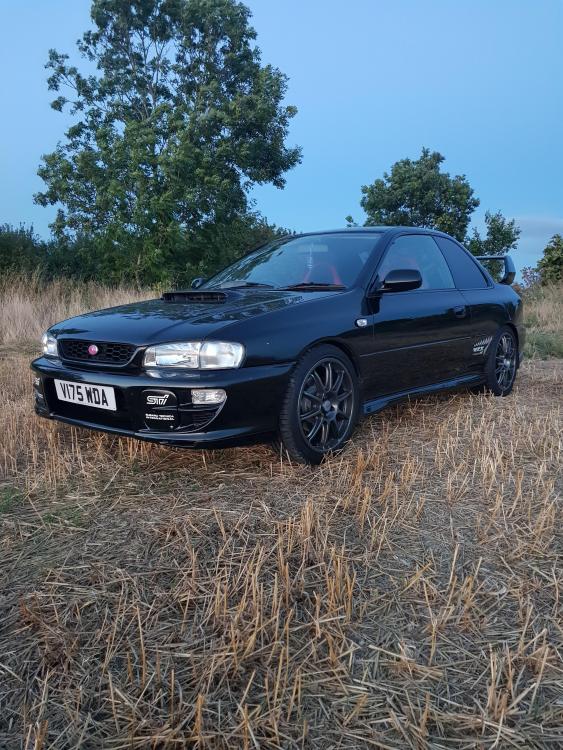
  2. Hi. my name is steven and i am looking to part with my type r. it has many mods, now a 2.1 stoker producing around 350bhp and around the same torque, fully forged, done by williams motor sport in wales, mapped by simon at jolly green monster. sad to say he is no longer with us. a lot more besides, have all paperwork to prove work carried out. due to financial reasons i am looking for a quick sale. these cars will be worth serious money in a few years time and you never see them on the road. i will leave a contact number so if anyone is interested can send pictures and a more detailed description of it. contact no: 07795250474. thanks for looking...
Background Picker
Customize Layout

Configure browser push notifications

Chrome (Android)
  1. Tap the lock icon next to the address bar.
  2. Tap Permissions → Notifications.
  3. Adjust your preference.
Chrome (Desktop)
  1. Click the padlock icon in the address bar.
  2. Select Site settings.
  3. Find Notifications and adjust your preference.