customlightz
Members
-
Joined
-
Last visited
-
not posted in a while :( updated the first page with new pictures :)
-
Not really a lot you could do with them, may be able to spray the inside parts black but it would only be around the edges, could also possibly fit some sort of led bulbs in a line like drls
-
Not really tinted the front lights before, I know fly eyes is a legal way but not sure if you would like the look of them, have you got any close up pics of your crystal lights at the minute?
-
You mean the bug eye ones?
-
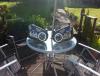
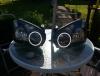
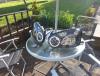
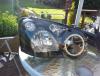
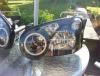
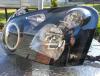
what does everyone think?
-
Aroun £80
-
Would look good
-
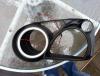
In the process of making some halo lights :)
-
No worries
-
Lol well I do a delivery service but it would mean the owners car not being drivable at the time
-
Did I scare everyone off when I said wigan haha
-
I'm from wigan
-
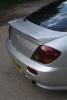
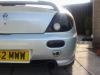
Here's some more closer pics. The one on gravel was done first but I wanted to go darker hence the other pic
-
Haha yes very shiny. I rub them flat and spray a lacquer over the top. I don't use savage tint spray which makes them cloudy
-
this was gloss but obviously not in the light, camera makes it look a little grey though but it wasnt