


scoobyroy82
Members
-
Joined
-
Last visited
-
 Sorry can't go on the club stand now not staying long now just a quick visit so not worth going on the stand will still call over and say hello thanks
 -
Sorry on my phone
-
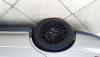
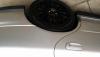
Hi mate I've recently had mine done and paid nearly same price has you have been quoted but the difference is amazing and like above for new metal and paint it's a good price.pics of them done attached mine were bad
-
Few pics of my classic just had arches done.also new alloys
-
Some lovely cars there gutted I missed it now will be at the next one for sure.
-
Sorry guys couldn't make the wife was late home from work.but hope you all had a good 1
-
Oh that's great My car details UK turbo 2000 99 reg V723FPH
-
I will take a ride down ain't been to a meet for years
-
Is this Monday coming or has it gone
-
Could I get on the stand for this or am I too late thanks
-
Ye I did mate Whitehall rd monies spray paint he has done a class job really happy
-
Ye that was me mate nice forrester Just on my way home from body shop just had my arches done they were a mess
-
Same colour as your's mate he has gold brembos on it mate.
-
Middleton leeds mate were ever for us don't mind travelling for a meet
-
I'm up for it and sure my cousin would be in his forrester





