deanogy
Members
-
Joined
-
Last visited
-
I'm game for a set of standards mate
-
I really enjoyed today was nice to meet you guys as well. Looking forward to getting the car tarted up so can come to more show
-
Hopefully setting off soon. Is it a micra cc in pink your coming in? Haha not really pathfinder?
-
Ok good call on the tickets as I would never get to see it lol I will get hold of brock or kyle when I'm close so can meet at the gate with our ticket.
-
Yeah I'm running back from Cornwall. So I will jump in the shower then be on way. Hopefully be back in Grimsby for 9am.
-
Where abouts are you?
-
Cheers dude. Haha "heard first"
-
-
Filled in and payed
-
I will use the form on here no problems. Yeah I won't make a Tuesday, gutted.
-
Cheers. Yeah all sorted. If it's on the Tuesday I will be working. I'm wanting to come cadwell.
-
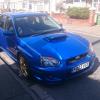
Hi I'm Dean from Grimsby. I've just got my first subaru impreza. It's a wrx sti in blue. I have a couple friends on here who told me to join. Brocklebank and kyle