Do Not Sell My Personal Information Jump to content
View in the app

A better way to browse. Learn more.

Subaru Owners Club UK | Subaru Forums

A full-screen app on your home screen with push notifications, badges and more.

To install this app on iOS and iPadOS
  1. Tap the Share icon in Safari
  2. Scroll the menu and tap Add to Home Screen.
  3. Tap Add in the top-right corner.
To install this app on Android
  1. Tap the 3-dot menu (⋮) in the top-right corner of the browser.
  2. Tap Add to Home screen or Install app.
  3. Confirm by tapping Install.

Newbie Saying Hi!

Featured Replies

Hi everyone, my girlfriend bought me an impreza top from mufflebox for my birthday and they sent her two forum stickers and a letter asking me to join, so here I am!


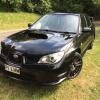
I've owned two scoobies- a 1997 sport I got when I was 15 for £500- a project car (made a few bad modification choices on that which are to never be repeated!), and my current car, a 2007 2.0R (or R-Sport).


Look forward to getting involved and glad this is a friendly forum, especially to those of us who aren't experts on everything mechanical!


post-3486-0-59413000-1418143251_thumb.jppost-3486-0-02289300-1418143332_thumb.jppost-3486-0-60545600-1418143373_thumb.jppost-3486-0-12348800-1418143407_thumb.jppost-3486-0-71349800-1418143449_thumb.jp

post-3486-0-14036200-1418143503_thumb.jppost-3486-0-66835000-1418143547_thumb.jp


Wotcha and welcome chum and hats off to your lass - for an initial 500 spend that looks like a tidy motor and mods are all about expression, tastes will always change over time so being willing to get stuck in and make something personal gets all encouragement from me. Loving the black hawkeye though, there is an RB270 around the corner from me, turns my head everytime  :wub: 

  • Author

Cheers buddy! 


Well i'm a little bit of the way there with the spoiler hey!  :D

Create an account or sign in to comment


Background Picker
Customize Layout

Account

Navigation

Search

Configure browser push notifications

Chrome (Android)
  1. Tap the lock icon next to the address bar.
  2. Tap Permissions → Notifications.
  3. Adjust your preference.
Chrome (Desktop)
  1. Click the padlock icon in the address bar.
  2. Select Site settings.
  3. Find Notifications and adjust your preference.