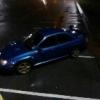
February 18, 201511 yr 2005 Subaru impreza wrx 300 prodrive blobeye 90k Fsh Cambelt done at 78k Blitz nur spec r full exhaust system Full decat (sounds amazing) Gfb adjustable bov Pipercross panel filter Stage 2 clutch Have sti springs and shocks ready to fit Tinted rear windows Ark turbo timer Welbro 225 fuel pump Full custom remap to adapt car to mods it Also have stacks of paperwork Private plate not included From dn21 area £4600
February 18, 201511 yr I've been there had an m3 nice car's and its acceptable to drive like a nob. But wouldn't go for another one unless it was that one on top gear at the weekend. Very tale happy even on wet leaves.
February 18, 201511 yr my mate just sold his 07 plate 530d to go jap performance lol i been looking at a 335 petrol 4 door saloon for the mrs beings she has gone off scoobs
February 18, 201511 yr Author I have to travel every day for work n its not fair to keep putting milage on the scooby
February 18, 201511 yr Me too mines used daily but I pay enough to keep it running so I want to use it every day lol



Create an account or sign in to comment