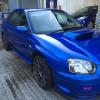
February 25, 201511 yr To find some c**t had stolen these can someone point me in the direction of a good replacement Sent from my iPhone using Tapatalk
February 25, 201511 yr Sorry read the title thought about this song :D Yeah !Removed! are good at pinching them Nick had his pinched not long ago they just pull off I'll keep my eye out for another pair be looking near £120 though :(
February 25, 201511 yr Mine are security marked so if anyone nicks em and I buy used one woth my marking boy they are in trouble.
February 25, 201511 yr That sucks man, anyway these could be glued in? stop it happening again. Keep you eye on eBay for anyone selling some local to you and see if you can find them. I know people when I used to have my navara as people used to nick the spare wheel from under the bed as it was an alloy not steely.
February 25, 201511 yr Yeah I think thats what nick did with his 2nd pair. I'd tiger seal the fuckers on not coming off then easily. [emoji35]



Create an account or sign in to comment