Do Not Sell My Personal Information Jump to content
View in the app

A better way to browse. Learn more.

Subaru Owners Club UK | Subaru Forums

A full-screen app on your home screen with push notifications, badges and more.

To install this app on iOS and iPadOS
  1. Tap the Share icon in Safari
  2. Scroll the menu and tap Add to Home Screen.
  3. Tap Add in the top-right corner.
To install this app on Android
  1. Tap the 3-dot menu (⋮) in the top-right corner of the browser.
  2. Tap Add to Home screen or Install app.
  3. Confirm by tapping Install.

What to do about a spoiler...

Featured Replies

Cheers jay [emoji106] [emoji3]


Thanks Jay :D  much appreciated...............but £500 :o  would have to be 50% discount to get my interest tbh or at least bring down to what i can get a spoiler for (£300) . I am not even a fan of CF(fake or not) ,its like a happy medium for me for finding an STI spoiler. Really dont want to pay(well the boss wont :lol: )more  than that............


1/6th of the value on the boot :lol:

  • Author

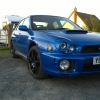
That's the spoiler I've got coming, with a bit of colour coding it's going to look great I think ;).

Create an account or sign in to comment


Background Picker
Customize Layout

Account

Navigation

Search

Configure browser push notifications

Chrome (Android)
  1. Tap the lock icon next to the address bar.
  2. Tap Permissions → Notifications.
  3. Adjust your preference.
Chrome (Desktop)
  1. Click the padlock icon in the address bar.
  2. Select Site settings.
  3. Find Notifications and adjust your preference.