Do Not Sell My Personal Information Jump to content
View in the app

A better way to browse. Learn more.

Subaru Owners Club UK | Subaru Forums

A full-screen app on your home screen with push notifications, badges and more.

To install this app on iOS and iPadOS
  1. Tap the Share icon in Safari
  2. Scroll the menu and tap Add to Home Screen.
  3. Tap Add in the top-right corner.
To install this app on Android
  1. Tap the 3-dot menu (⋮) in the top-right corner of the browser.
  2. Tap Add to Home screen or Install app.
  3. Confirm by tapping Install.

Import and lights

Featured Replies

Hello,


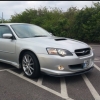
New Suburu legacy owner here.

I have noticed there are a few post regarding car light on the forum. My legacy is a fresh import but im not sure if the lights needed to be changed for UK roads, can anybody help me here?


The wiring or chip has been converted to mph.

The car does have a M.O.T provided by the dealer/importer i purchased from.


The key phob boot open button does not work, is this a common fault?


Im sure someone will know the answers so i'll say thank you in advance...lol


Lights should be fine as it's set up for the same side of road, the testing station would have failed it if they were out of alignment

  • Author

Cheers coordinator.


well thats one thing out of the way.

Create an account or sign in to comment


Background Picker
Customize Layout

Account

Navigation

Search

Configure browser push notifications

Chrome (Android)
  1. Tap the lock icon next to the address bar.
  2. Tap Permissions → Notifications.
  3. Adjust your preference.
Chrome (Desktop)
  1. Click the padlock icon in the address bar.
  2. Select Site settings.
  3. Find Notifications and adjust your preference.