May 19, 201511 yr whats the difference between JDM sti 8 rear lights and JDM STI Blob Eye rear lights
May 19, 201511 yr Depends, there are one that are square at the vottom and ones that have a round section that goes into the bumper. Or could be colour differences
May 19, 201511 yr thought they were the same, what makes you think they are different? the blob and hawk use the same shape light and they are interchangeable, but they are different colour/ layout.
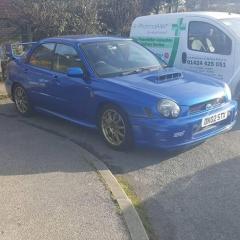
May 19, 201511 yr thought they were the same, what makes you think they are different? the blob and hawk use the same shape light and they are interchangeable, but they are different colour/ layout. Early ones had square bottom, look at 52 plate one
May 19, 201511 yr the bug eye has similar lights, but flat bottom. never seen a blob with the bug style rear lights
May 20, 201511 yr I'm after some blobeye rear lights for my bug.. Must stop looking for things to buy gearbox need to be first lol :) When entr0py came up from kent he had blobeye rear lights with a bugeye rear bumper he was saying it's just a black bit that you cut off and they fit :) He'd seen it on an american site.
May 20, 201511 yr the blob lights look better than the bug's, and they can be fitted to bug's with minor mods



Create an account or sign in to comment