Do Not Sell My Personal Information Jump to content
View in the app

A better way to browse. Learn more.

Subaru Owners Club UK | Subaru Forums

A full-screen app on your home screen with push notifications, badges and more.

To install this app on iOS and iPadOS
  1. Tap the Share icon in Safari
  2. Scroll the menu and tap Add to Home Screen.
  3. Tap Add in the top-right corner.
To install this app on Android
  1. Tap the 3-dot menu (⋮) in the top-right corner of the browser.
  2. Tap Add to Home screen or Install app.
  3. Confirm by tapping Install.

give it a big hand

Featured Replies

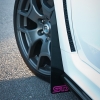
done a bit of hand waxing on my car this evening with the MadCow Candy Wax I picked up at Modified Nationals on Sunday. Applied to all the paint work, I'll let it stand till I'm ready to polish off... or when I've got time to do it again.


20150528_211703_zpsqsladxrt.jpg


20150528_211743_zpsw3zr0mvm.jpg


20150525_105801_zpsrvfxbe2d.jpg


:)


You must have tried nearly every cleaning/waxing product on the market  :lol: Have you got a personal favourite :) 

Create an account or sign in to comment


Background Picker
Customize Layout

Account

Navigation

Search

Configure browser push notifications

Chrome (Android)
  1. Tap the lock icon next to the address bar.
  2. Tap Permissions → Notifications.
  3. Adjust your preference.
Chrome (Desktop)
  1. Click the padlock icon in the address bar.
  2. Select Site settings.
  3. Find Notifications and adjust your preference.