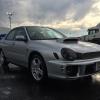
June 28, 201510 yr Hi guys, I'm struggling to find some clips for my bugeye, only need 3. The sliding ones that hold the trim down for the roof rain gutter. I've asked a few breakers on the bay, but non of them have replied. Any idea I could get them or a part number? Cheers
June 28, 201510 yr When I get on the pc mate ill get the details if matty he will be able to help im sure and he will reply. [emoji106]
June 28, 201510 yr Have a look at www.opposedforces.com should be able to get a p/n from there Sent from my SM-G850F using Tapatalk
June 28, 201510 yr You could also try a local windscreen replacement firm , when I had a new screen fitted into my uk turbo last year the fitter had a load of the subaru oe gutter clips on board. as you have to remove the gutter trim to get to the windscreen seals on classics
June 28, 201510 yr Well I'd certainly try what Savage said :) But matt's details MB developments Unit 3 Addenbrook streetDarlastonWs10 8hjcall or txt for quicker reply 07785942237
June 28, 201510 yr Author Cheers stants, I got the part number from opposedforces.com Ordered the clips from Import Car Parts. Not a bad price either Thanks again guys.



Create an account or sign in to comment