Do Not Sell My Personal Information Jump to content
View in the app

A better way to browse. Learn more.

Subaru Owners Club UK | Subaru Forums

A full-screen app on your home screen with push notifications, badges and more.

To install this app on iOS and iPadOS
  1. Tap the Share icon in Safari
  2. Scroll the menu and tap Add to Home Screen.
  3. Tap Add in the top-right corner.
To install this app on Android
  1. Tap the 3-dot menu (⋮) in the top-right corner of the browser.
  2. Tap Add to Home screen or Install app.
  3. Confirm by tapping Install.

Featured Replies

Hi guys just purchased an 02 Impreza Wrx, I think has the pro drive pack on it too.

This is where I live in the highlands I have to contend with a crappy track for access to my house

post-4843-0-13847100-1438541377_thumb.jp

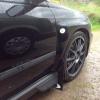
Here's my boy

post-4843-0-49945800-1438541498_thumb.jp

post-4843-0-77169100-1438541565_thumb.jp

post-4843-0-66480400-1438541648_thumb.jp

post-4843-0-22064400-1438541699_thumb.jp

My old Subaru........! Try not to make the same mistake this time, older wiser!!!

post-4843-0-05650100-1438541754_thumb.jp

post-4843-0-86778100-1438541776_thumb.jp


Ouch! What was more bruised, you, your ego or your insurance premium? :lol:

Welcome to the club. Lovely looking car

Sent from my iPhone using Tapatalk

  • Author

Yeah certainly took some stick for that one. I was toooooo young and immature. I knew it had weak drop links and near bald tyres on the rear and was driving everywhere like a maniac. Managed to power slide through a good 150m of fencing then as it spun round rear ended the bugger on a gate post!!

  • 3 weeks later...

I'm having a knocking noise coming from my clutch when I release it but when I push it in it stops I need some help

Sent from my iPhone using Tapatalk


  • Author

Not to sure maybe a post in the technical section??

Create an account or sign in to comment


Background Picker
Customize Layout

Configure browser push notifications

Chrome (Android)
  1. Tap the lock icon next to the address bar.
  2. Tap Permissions → Notifications.
  3. Adjust your preference.
Chrome (Desktop)
  1. Click the padlock icon in the address bar.
  2. Select Site settings.
  3. Find Notifications and adjust your preference.