August 7, 201510 yr Morning all, Proud owner of a MY07 2.5 XTEN (first week, still grinning like a loon). :D Man-logic reckons I can get a stage 1 remap and sell it to SWMBO on the basis that it will improve the fuel efficiency. Can anyone recommend a shop in/ near Leeds that specialises in Subaru? Don't fancy trusting my new p&j to a mobile bruv for "tree-fiddy mate" Thanks
August 7, 201510 yr Hello & welcome another foz in leeds whoop ! ☺ depends what software you want GR in Rotherham will do car berry open source, or there's scooby clinic in Chesterfield, dunc @ racedynamix will drawl to you and if your feeling like a trip Andy forrest in Scotland is one of the best. Also try Richard Henry motors ports in Bradford, they use bob rawle I think. Most of them will advise you change the fuel pump to a stronger unit.
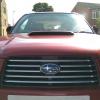
August 7, 201510 yr Author Cheers Stants! I'm based in LS28 and in 'old man' guise to keep under the radar - cherry-red with cream leather (!) - oh, apart from the pistonheads sticker on the rear bumper I'll give you a wave if I see you on the road Will get some pics up at some stage...
August 7, 201510 yr I'm from pudsey spend my time between beeston and pudsey, i'm green and sliver There's a 'local' ish meet on Monday night down in Sheffield if it tickles your fancy, I did try to get one going in leeds but it died on it's !Removed!
August 7, 201510 yr Scoobyclinic at chesterfield, although be Pat Herborn if it's Ecuteked. Andy F is the only other one i'd let near mine



Create an account or sign in to comment