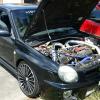
September 2, 201510 yr Hello fellow subaru owners as you probably know I have a 400bhp impreza running in a 20g. my mate just got a EVO 8 fq330 that's about 400bhp and obviously we are now rivals. My question is how much is is a 20g good for? It's already at 1.5 bar now. I can get hold of another turbo if needs be but I just cba to change it :) Sent from my SM-N910F using Tapatalk
September 2, 201510 yr I think 400hp ix about the limit for a 2ltr unless you add a splash of meth . When does if come on full boost ? As I'd heard the 20g was a bit Laggy on a 2ltr , if so you could try fitting a Harvey "trick" upipe and tubular headers to make the power more usable lower in the Rev range . Which would make a quicker point to point car
September 2, 201510 yr Author Full boost is about 4ish give or take I think. Not looking for stupid hp on it as going to be building a 2.1 closed deck soonish Sent from my SM-N910F using Tapatalk
September 2, 201510 yr Not too Laggy then it's just a friend of mine had a massive gt30 on his 2.1 making 420hp + but he couldn't shake me running 330hp . as I hit full boost at 3.5k and pulled to 7.5 k he hit his full boost at 5.5k and lit the tyres up in 4 th gear . I'd stick with what you've got ,cos once you fit the 2.1 you'll probably need a 6 speed
September 3, 201510 yr Author Lucky for me it already had a 6 speed when I bought it. Looking for about 450ish with methods or something like that Sent from my SM-N910F using Tapatalk



Create an account or sign in to comment