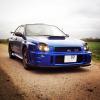
November 14, 201510 yr Author Lots of rain n dark by time I got it back but this is me with a big cheesy grin picking it up
November 14, 201510 yr Lots of rain n dark by time I got it back but this is me with a big cheesy grin picking it upAnd why wouldn't you have a cheesy grin, with a beauty like that!Sent from my HTC Desire 620 using Tapatalk
November 14, 201510 yr Thanks for the good vibes and comments guys! Really stoked its an absolute beast! Big step up from my Fiesta ST lol Always wanted an Impreza STI :D Its stock apart from the splitter and front light clusters and I intend to keep it that way! B) Hoping to bring it along to some meets in due course, although if anyone can provide info on meets that would be sweet as I have no idea I cant find anything anywhere about 0-60s for an S202. Can anyone enlighten me? Not that I'm massively bothered, but I need something to placate my 21 year old brother who is obsessed by facts and figures etc more info here https://en.wikipedia.org/wiki/Subaru_Tecnica_International
November 15, 201510 yr Surrey Scoobies meet every 2nd Sunday of the month from 1pm at The Fairmile, Portsmouth Road, Cobham, Surrey, KT11 1BW The next meet should be dec 13 2015
November 15, 201510 yr Author Nice one thanks Pete! I'll try make it down. Been enjoying myself this weekend! She's an absolute animal :)



Create an account or sign in to comment