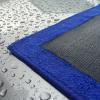
November 6, 201510 yr CCC have had a successful year with The Clay Cloth Supreme, selling 4923 cloths. However, we would like to make this 5000! so we are holding our BIGGEST discount we have ever done on a single product and have knocked off a MASSIVE 35% off the RRP (£12.85) making it an unbelievable £8.00!! Offer ends after Remembrance Day (12/11/2015) and will never be repeated, so make the most of this price and help us reach 5000 Clay Cloths sold in 12 months! Thank you.http://www.theclayclothcompany.co.uk/ourshop/prod_3475570-A-Clay-Cloth-Supreme.html
November 7, 201510 yr Does that include delivery too? Might invest in one to go with my mitt [emoji6] Sent from my iPhone using Tapatalk
November 7, 201510 yr Author No delivery - FREE Delivery is over £30 and if you spend over £20, you get a FREE XL Microfibre Towel Also!



Create an account or sign in to comment