Do Not Sell My Personal Information Jump to content
View in the app

A better way to browse. Learn more.

Subaru Owners Club UK | Subaru Forums

A full-screen app on your home screen with push notifications, badges and more.

To install this app on iOS and iPadOS
  1. Tap the Share icon in Safari
  2. Scroll the menu and tap Add to Home Screen.
  3. Tap Add in the top-right corner.
To install this app on Android
  1. Tap the 3-dot menu (⋮) in the top-right corner of the browser.
  2. Tap Add to Home screen or Install app.
  3. Confirm by tapping Install.

Hi

Featured Replies

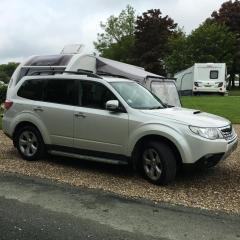
Hi I am from hull and have just got a forester, my last car was an x trail but always fancied a subaru so finally got there Thanks Terry.


  • Author

Thanks for the replies, will be around quite a bit, Terry

You won't regret it promise you,just so such good fun to drive.Good value cars when you factor in the smiles per miles.


  • Author

Yes loving it already, I thought my x trail would take some beating but this car has already done that, Just ordered some sidesteps for it as well.

Create an account or sign in to comment

Background Picker
Customize Layout

Account

Navigation

Search

Configure browser push notifications

Chrome (Android)
  1. Tap the lock icon next to the address bar.
  2. Tap Permissions → Notifications.
  3. Adjust your preference.
Chrome (Desktop)
  1. Click the padlock icon in the address bar.
  2. Select Site settings.
  3. Find Notifications and adjust your preference.