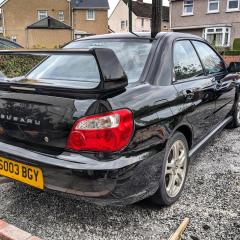
December 17, 201510 yr Hi guys, I've got a 2003 WRX and i'm looking at replacing the exhaust for something with a little more of a voice! Its currently got the prodrive exhaust on which give a nice sound but not quite the burble i'm after! I want something that will roar when you give it some but nothing silly like the nur-spec. The cars a daily so i would like to keep my ear drums un-perforated... Cheers!
December 17, 201510 yr I've got the prodrive back box with a non res centre section and 2nd decat. Makes all the right noises and can be heard coming (both at work and home have told me :-/ ) without being OTT. Although in the car is surprisingly civilised, with a nice little rumble with the window down. Sent from my iPhone using Tapatalk
December 17, 201510 yr Author That's a good idea, hadn't considered just changing the center section! i'll look into that, Thanks.



Create an account or sign in to comment