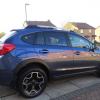
January 18, 201610 yr Ok so after my last topic about upgrading my day running lights I have decided to upgrade the driving lights as I found them to be quite poor. I looked at some led type bulbs but I found after installing them, they were very bright to look at but did not put much light on the road so not much use I then looked at putting in a xenon bulb as these kits are cheap now a days and I have used them before on other cars after installing them I could see how bright they were especially just in front of me and also a good light at the sides my headlights in the xv are xenon so I installed a 6000k kit which gives a little more blue tint which I find better for picking out objects better these have now been in for a week and I can say they are a much better light now giving much more light on open dark roads and light up the sides loads better but do not dazzle oncoming traffic these are not the best pictures in the world but you get the idea :-)
February 8, 201610 yr Author Hi Dogconker this is the exact same as I got but from a different supplier ( guy I used has no more stock ) ebay item 181975455661 they are very small and neat so easy to fit and hide and for a cheap upgrade work very well :-)
February 12, 201610 yr On 8 February 2016 at 4:19 PM, Dug said: Hi Dogconker this is the exact same as I got but from a different supplier ( guy I used has no more stock ) ebay item 181975455661 they are very small and neat so easy to fit and hide and for a cheap upgrade work very well :-) So do these just plug in or are they a proper wiring and modification job, I don't want to be messing with wiring because it could void my warranty
March 3, 201610 yr Author Sorry for late reply but yes just plug and play ☺ Sent from my SM-N910F using Tapatalk



Create an account or sign in to comment