January 22, 201610 yr Hi all ,I'm snigs ,I have a 1999 2ltr sports been off road now for 5 yr . I loved this car so much and I'm pleased to say I have recently put it in for a mot which it passed with only a couple of advisers worst being worn wiper blades .but on my first outing I got a smashed fog light . Does anyone know if foglights off a wrx classic would fit as I have sourced a pair at a reasonable price. Thanks
January 22, 201610 yr Wotcha and welcome - cant help with the question myself but I am sure one of the other forum members will be along in a bit
January 22, 201610 yr Hello mate welcometo S.O.C Glad to see it passed should fit I know the fogs from classic shapes 98 to 2002 fitted the same if it's the larger almost like a spot light.
January 23, 201610 yr Hey and welcome, good news on the mot and on little bits not expensive bits!!!! as above on the fogs,
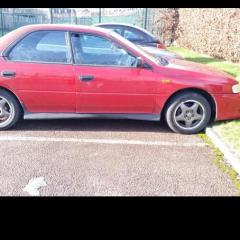
January 25, 201610 yr Hi...Am new to this too,only treated myself to a sub a week before xmas The only pic i got of it,only had just got it that evening...well there is a pic of it in daylight but its when a coach caught the front end off it on a small roundabout :( and they wont admit liability.
January 25, 201610 yr 1 hour ago, Scotby snigs said: Welcome GH47 you won't look back ! Well sometimes I do just to see how far I've left the car behind



Create an account or sign in to comment