Do Not Sell My Personal Information Jump to content
View in the app

A better way to browse. Learn more.

Subaru Owners Club UK | Subaru Forums

A full-screen app on your home screen with push notifications, badges and more.

To install this app on iOS and iPadOS
  1. Tap the Share icon in Safari
  2. Scroll the menu and tap Add to Home Screen.
  3. Tap Add in the top-right corner.
To install this app on Android
  1. Tap the 3-dot menu (⋮) in the top-right corner of the browser.
  2. Tap Add to Home screen or Install app.
  3. Confirm by tapping Install.

Featured Replies

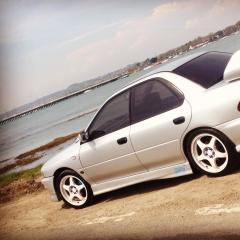
Had a great days cruise and chill out with my co @AnxiousAngel took the car for a spin and found some good spots for some pics!! 

Hope you like

IMG_1057 (1).jpg

IMG_1060 (1).jpg

IMG_1061 (1).jpg

IMG_1062 (1).jpg

IMG_1063 (1).jpg


4th pic is awesome!

  • Author
3 minutes ago, Madjonny said:

4th pic is awesome!

thanks mate, 

a nice quiet back road we found and had to stop for a pic but had to be quick!!!! lol :biggrin:

Very arty pics those look good😀 do you ever get pulled over for number plate?

Nice :punk:


  • Author
1 hour ago, Scooby1972 said:

Very arty pics those look good😀 do you ever get pulled over for number plate?

I think it might be the camera angle that makes the plate look different!!! Lol....... Nah, never had a problem with it and passed many coppers on my travels.

Create an account or sign in to comment


Background Picker
Customize Layout

Configure browser push notifications

Chrome (Android)
  1. Tap the lock icon next to the address bar.
  2. Tap Permissions → Notifications.
  3. Adjust your preference.
Chrome (Desktop)
  1. Click the padlock icon in the address bar.
  2. Select Site settings.
  3. Find Notifications and adjust your preference.