Do Not Sell My Personal Information Jump to content
View in the app

A better way to browse. Learn more.

Subaru Owners Club UK | Subaru Forums

A full-screen app on your home screen with push notifications, badges and more.

To install this app on iOS and iPadOS
  1. Tap the Share icon in Safari
  2. Scroll the menu and tap Add to Home Screen.
  3. Tap Add in the top-right corner.
To install this app on Android
  1. Tap the 3-dot menu (⋮) in the top-right corner of the browser.
  2. Tap Add to Home screen or Install app.
  3. Confirm by tapping Install.

Featured Replies

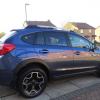
As this is the last day off work for a wile I decided to have a ride up the Yorkshire dales.

I did 140ish miles and averaged 49mpg for the day not bad at all

some amazing views :-) so I thought I would share a pic or two :-)


d1_05.JPG

d1_06.JPG

d1_07.JPG

d1_08.JPG

d1_04.JPG

d1_01.JPG

d1_02.JPG

d1_03.JPG

d1_09.JPG

d1_10.JPG


Good pics!

Can't beat a trip out to the Dales, always enjoy seeing the viaducts :).

  • Author

it sure does and got some looks from others

  • 1 month later...

Create an account or sign in to comment


Background Picker
Customize Layout

Configure browser push notifications

Chrome (Android)
  1. Tap the lock icon next to the address bar.
  2. Tap Permissions → Notifications.
  3. Adjust your preference.
Chrome (Desktop)
  1. Click the padlock icon in the address bar.
  2. Select Site settings.
  3. Find Notifications and adjust your preference.