April 7, 201610 yr Hi Guys, I had my car washed the other day as I didn't have time to do so myself. I noticed after I got home that down the bottom of both rear doors, just around where the doors start to flare out, and also just at the start of the rear wings there appeared to bea white residue. I got some cleaning stuff out thinking it would remove easily but when I attemped it the surface appeared rough and the whitish marks would not budge. First time I have come across this on a car, but it is probably caused by spray due to the shap of the rear doors/wings and the position of the marks. I believe some might call it oxidisation and just wondered if an6y of you guys have coe across the same problem, and if so what your recommendations would be for removal of these 'stains' as it does kinda take the look off the car. Many thanks Burroo
April 7, 201610 yr Is it like a dusting ? My dad had a similar problem on his mondeo, went into bodyshop for some dent/paintwork done on the lower o/s door all looked fine but after the car was washed it left a permanent coat of dusting on parts, we think it was because the paint hadn't gone off properly before washing
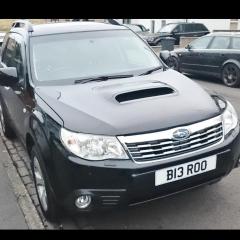
April 7, 201610 yr pictures would be good. Is it some sort of clear-coat lacquer issue on refinished paint perhaps !
April 8, 201610 yr meguairs ultimate compound, followed by a good polish and wax helps to gradually remove this over time - I do my problem areas every 6 months and they are looking better all the time



Create an account or sign in to comment