Do Not Sell My Personal Information Jump to content
View in the app

A better way to browse. Learn more.

Subaru Owners Club UK | Subaru Forums

A full-screen app on your home screen with push notifications, badges and more.

To install this app on iOS and iPadOS
  1. Tap the Share icon in Safari
  2. Scroll the menu and tap Add to Home Screen.
  3. Tap Add in the top-right corner.
To install this app on Android
  1. Tap the 3-dot menu (⋮) in the top-right corner of the browser.
  2. Tap Add to Home screen or Install app.
  3. Confirm by tapping Install.

London to Brighton run

Featured Replies

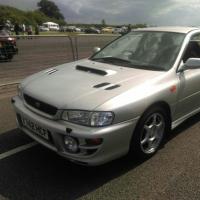
I've only just caught wind of this and don't have many details. There is the annual run to Brighton happening on 25th June 2016. I hear they're leaving from bluewater shopping centre at 7am. Unfortunately that's all the information I have. I went last year and there were 120+ Subaru attending. It was a good day out.

3808d449010560f535d1d5d34f090ee1.jpg

One of my pictures from last year showing the car park full of scoobies.


Gutted known sooner could have got something posted on the page for you :( 

  • Author

No drama gambit. I only found out within an hour of posting and I couldn't go anyway. The boss is still recovering and it's my eldest birthday weekend. Family first 😊

True mate. :cool:

  • 7 months later...

Is this going to happen this year???

  • 1 month later...

Create an account or sign in to comment


Background Picker
Customize Layout

Account

Navigation

Search

Configure browser push notifications

Chrome (Android)
  1. Tap the lock icon next to the address bar.
  2. Tap Permissions → Notifications.
  3. Adjust your preference.
Chrome (Desktop)
  1. Click the padlock icon in the address bar.
  2. Select Site settings.
  3. Find Notifications and adjust your preference.