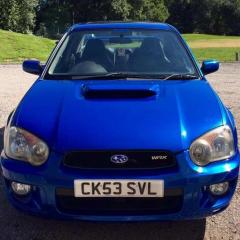
July 22, 20169 yr Hey guys. I bought my WRX turbo a month ago. It's the PPP from practically new. Have all the invoices, the certificate etc. All legit. But took the footplate off earlier to have a look at the ECU and noticed it looks very stock to me. It's Denso. Has no prodrive sticker / label on etc. Has black marker pen on top, saying WRX03 then a number. I will attach pictures. Can anyone confirm this is stock. Or possibly the PPP. Thank you. Appreciated :-) Alex
July 22, 20169 yr think only the classics had a sticker, not sure mate really have you rang subaru get them to check the reg?
July 22, 20169 yr They won't be able to help. The cert is all you have. Same with mine. So just reprogram ecu with a standard ppp map. Sent from my SM-G357FZ using Tapatalk
July 24, 20169 yr Depends how brave you are, and if you know what your doing, could do it yourself with open source software and a laptop, Easiest and best option is to speak to some repeatable mappers in your area shove a load of money at them. Between 350-600 is usually enough depending on what software they use and what features you may want Sent from my SM-G930F using Tapatalk



Create an account or sign in to comment