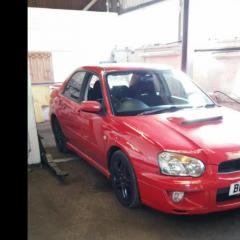
October 24, 20169 yr Good morning everyone Im new to the forum and new to imprezas im after some help please. I would like to change the standard radio to an aftermarket one so I can run my ipod/USB DAB radio and so on. I can not seem to find a fascia anywhere for this model am I being really thick here or can't they be changed? Thank you Danny. Heres a image I nicked from google
October 24, 20169 yr Double din units fit within the standard fascia no problem! Also, welcome to the club!
October 31, 20169 yr Welcome mate, https://youtu.be/Uj9lzb3dcCM thats the video I used to help install mine. I didn't bother completely unscrewing the gearstick btw as it wasnt necessary. Also Ebay bits needed for wiring loom and aerial cable: http://www.ebay.co.uk/itm/250413926808?_trksid=p2060353.m2749.l2649&ssPageName=STRK%3AMEBIDX%3AIT http://www.ebay.co.uk/itm/252218630012?_trksid=p2060353.m2749.l2649&ssPageName=STRK%3AMEBIDX%3AIT good luck!
November 2, 20169 yr i used one these kits when i fitted a single din head unit in my blob http://www.ebay.co.uk/itm/Autoleads-FP-36-00-Subaru-Impreza-08-11-Car-Stereo-Single-Din-Facia-Fascia-Panel-/171248093524?hash=item27df2e8954:g:NksAAOxy69JTB5cM can also get them with the lead to fit the subaru harness to new radio,but they sell them at halfords i so i just got harness from their.



Create an account or sign in to comment