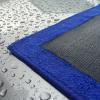
March 26, 20178 yr The next generation Polymer Clay Cloth has arrived! Named 'Scarlett' after its red microfibre, it adopts the same polymer clay compound as our Clay Mitt Solar. This compound offers significant advantages in terms of efficiency, resourcefulness and value for money. The Clay Cloth Scarlett offers a thin layer of polymer clay compound bonded to a microfibre glove which easily and quickly removes embedded contaminants, such as brake dust, tree sap, tar, iron fallout, paint overspray and more! When these bond themselves to your vehicles paintwork, over time they leave your paintwork feeling rough to the touch and mask your paintwork's clarity and shine; they can also affect how your car wax or paint sealant work when applied as well as providing potential long term damage. The Clay Cloth Scarlett does not require 'warming up' like a Clay Bar to make it soft and pliable. Also, dropping a Clay Bar results in it being written off!, if you drop the Clay Cloth Scarlett it can be cleaned by simply rinsing it thoroughly in water. Perhaps the biggest advantage is that the Clay Cloth Scarlett lasts up to 20 times longer than the traditional Clay Bar, is easier to handle than a Clay Bar, it saves a significant amount of time without compromising performance and is much more cost effective. Read more here



Create an account or sign in to comment